Google Business Profile vs. social media: why businesses need both
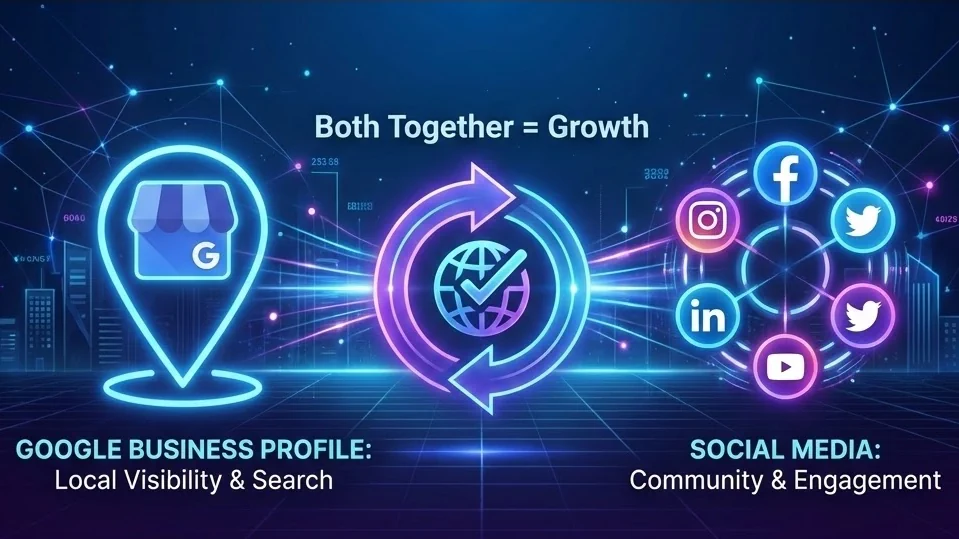
A local business can be active on Instagram, Facebook, LinkedIn, or TikTok and still lose customers in Google Search. The opposite is also true: a business can have a polished Google Business Profile and still feel invisible between customer searches.
That is why the better question is not “Google Business Profile or social media?” The better question is: which job should each channel do in your customer journey?
Google Business Profile is strongest when people already have intent. Social media is strongest when you need to create familiarity, trust, and repeat exposure before someone is ready to buy. Used together, they give local businesses a more complete presence: discoverable when customers search, memorable when customers are not searching yet, and easier to evaluate when someone is comparing options.
The short answer
If your business depends on local discovery, use both.
- Use Google Business Profile to appear in Google Search and Maps when people look for your business, service, category, or location.
- Use social media to build recognition, educate customers, show proof, promote offers, and stay visible between searches.
- Use a shared planning workflow so both channels support the same campaigns, seasonal offers, customer questions, and proof points.
Google’s own guidance for local rankings emphasizes relevance, distance, and prominence, along with complete, accurate business information. That makes your Business Profile a core local visibility asset, not just a listing you set up once and forget. See Google’s official guide to improving local ranking for the source.
How Google Business Profile and social media are different
Both channels can publish updates, photos, offers, and announcements. But they are not interchangeable.
| Channel | Main job | Best for | Weak spot if used alone |
|---|---|---|---|
| Google Business Profile | Capture high-intent local demand | Maps visibility, calls, directions, reviews, hours, offers, service details | Limited storytelling and relationship building |
| Social media | Build attention and trust over time | Education, community, launches, behind-the-scenes content, repeat touchpoints | Less reliable for local “near me” discovery |
A coffee shop, dentist, salon, real estate agent, repair company, clinic, gym, restaurant, or local retailer usually needs both sides. Search helps customers find and validate the business. Social media helps customers feel familiar with the business before and after they search.
What Google Business Profile is best at
Google Business Profile is a decision page. When someone sees your listing, they are often close to an action: calling, visiting, asking for directions, booking, reading reviews, or comparing you with nearby competitors.
1. Local search and Maps visibility
A complete, accurate profile helps customers understand whether your business matches what they need. At minimum, keep these fields current:
- Business name
- Primary category and secondary categories
- Address or service area
- Opening hours, including holiday hours
- Phone number
- Website link
- Services or products
- Photos and videos
- Reviews and owner responses
For local businesses, these details can matter more than a clever caption because they answer urgent customer questions.
2. Reviews and trust signals
Reviews are one of the biggest practical differences between Google Business Profile and most social platforms. Social posts can show personality and proof, but Google reviews often influence final choice because they sit directly inside Search and Maps.
Your review workflow should be simple:
- Ask satisfied customers for a review at the right moment.
- Reply to positive reviews with specific, human responses.
- Reply to negative reviews calmly and helpfully.
- Watch for recurring issues that should influence operations, not just marketing.
3. Offer and update visibility
Google Business Profile posts can help you promote:
- Limited-time offers
- Events
- Seasonal services
- New products
- Booking reminders
- Important business updates
They should not replace your website or social channels, but they are useful for high-intent customers who are already researching you. For a more detailed publishing approach, see Postoria’s guide to Google Business Profile posting strategy.
What social media is best at
Social media is a relationship and repetition channel. Most people do not buy from a local business the first time they hear about it. They notice it, see useful posts, compare options, ask friends, save something, and return later.
1. Building familiarity before search happens
A customer might discover your brand on Instagram, TikTok, Facebook, LinkedIn, Threads, Pinterest, YouTube, X, Bluesky, Tumblr, or Telegram long before they search your name. Social media helps you show:
- What you do
- Who you serve
- How your process works
- What results or experiences customers can expect
- What makes your business feel different
That familiarity can influence branded searches later.
2. Explaining what customers do not know yet
Google Business Profile is not ideal for long education. Social media is better for explaining:
- How to choose the right service
- What to expect before booking
- How pricing works
- What mistakes to avoid
- What a good result looks like
- Why timing matters
This is especially useful for service businesses, professional services, health and wellness, home services, and B2B companies.
3. Staying visible between purchases
Many local businesses have long gaps between transactions. A customer may visit a dentist twice a year, book a photographer once, hire a plumber only when needed, or buy from a local retailer seasonally. Social media helps you stay remembered between those moments.
Use an intent map instead of choosing one channel
A useful way to combine Google Business Profile and social media is to map each channel to customer intent.
| Customer intent | Best channel | Content to publish |
|---|---|---|
| “I need this nearby now” | Google Business Profile | Services, hours, offers, photos, reviews, directions |
| “Can I trust this business?” | Both | Reviews, customer stories, team photos, behind-the-scenes proof |
| “How do I choose?” | Social media, then website | Comparison posts, FAQs, educational videos, checklists |
| “What is new this week?” | Both | Offers, events, seasonal updates, product drops |
| “I liked them before; remind me” | Social media | Recurring tips, launches, reminders, community content |
This prevents duplicate posting for the sake of duplicate posting. The goal is not to publish the same thing everywhere. The goal is to answer the right question in the right place.
A practical weekly workflow for local businesses
Here is a simple weekly system that works for many small businesses.
Monday: update the local visibility layer
Check your Google Business Profile for:
- Correct hours
- Current services or products
- New photos
- Review responses
- Any expired offers
If you have a timely update, schedule it through a Google Business Profile post scheduler so it appears alongside your social content plan instead of becoming a separate task.
Tuesday: publish one educational social post
Answer a question customers ask before buying. Examples:
- “How to know when your roof needs inspection”
- “What to bring to your first appointment”
- “Three ways to choose the right package”
- “What happens after you request a quote”
This content builds trust and can later become website FAQ copy, sales enablement material, or Google Business Profile updates.
Wednesday: publish proof
Use social media to show credibility:
- Before-and-after photos where appropriate and permitted
- Customer stories with consent
- Team process photos
- A short case study
- A common problem solved
For Google Business Profile, add a strong photo or update when it fits.
Thursday: promote one action
Give customers a clear next step:
- Book a consultation
- Call for availability
- Visit this weekend
- Claim a seasonal offer
- Join an event
- Check a new product
Use platform-specific CTAs. Google Business Profile posts may focus on calls, bookings, directions, and offers. Social posts can use a softer CTA, such as saving the post, asking a question, or sending a message.
Friday: review what worked
Look at:
- Calls, direction requests, website clicks, and review activity from Google Business Profile
- Reach, saves, comments, clicks, and profile activity from social media
- Which questions or objections appeared in comments, messages, or reviews
Turn those insights into next week’s posts.
Example: one campaign across both channels
Imagine a local fitness studio promoting a “new year reset” offer.
Google Business Profile content
- Update the offer with dates, price, and booking CTA.
- Add fresh photos of the studio and trainers.
- Publish a post about trial class availability.
- Reply to recent reviews that mention classes, coaching, or atmosphere.
Social media content
- Instagram or TikTok: short video showing what a first class feels like.
- Facebook: event-style reminder for the first open session.
- LinkedIn: post aimed at local professionals who want lunchtime or after-work classes.
- YouTube Shorts: quick “what to expect in your first class” clip.
- Threads or X: short reminders and answers to common objections.
The campaign is connected, but each channel has a job. Search captures people ready to act. Social reduces hesitation.
Common mistakes to avoid
Treating Google Business Profile as a one-time setup
A stale profile with old hours, few photos, and unanswered reviews can reduce trust. Review it regularly.
Posting only promotions on social media
If every post says “book now,” customers stop paying attention. Mix education, proof, personality, and offers.
Publishing identical copy everywhere
A Google Business Profile offer, an Instagram caption, and a LinkedIn post should not always read the same. The audience mindset is different.
Ignoring tracking
Use consistent links and UTM tags where appropriate. If you cannot connect content to actions, it is harder to know what deserves more effort.
Forgetting operational details
Marketing cannot fix wrong hours, unanswered calls, missing booking links, or outdated service pages. Your profile and posts should match the real customer experience.
How Postoria helps manage both workflows
Postoria brings Google Business Profile and social publishing into one calendar, so local teams do not have to manage disconnected workflows.
With Postoria, you can plan and schedule content across Facebook, Instagram, LinkedIn, Google Business Profile, Threads, Pinterest, YouTube, TikTok, Telegram, Bluesky, Tumblr, and X. That makes it easier to build one monthly plan, adapt posts per channel, and keep your local updates consistent.
This is especially helpful if you manage:
- Multiple locations
- Multiple brands
- A service business with recurring offers
- A franchise or branch network
- A small team that needs one shared calendar
For broader channel planning, see the guide to posting across social media platforms. If you manage several locations, the multi-location Google Business Profile playbook can help you scale without making every location sound identical.
Conclusion
Google Business Profile and social media should not compete for your attention. They solve different problems.
Google Business Profile helps your business show up when customers are actively searching. Social media builds the familiarity, education, and trust that make customers more likely to choose you when the moment arrives. The strongest local marketing systems connect both: one calendar, clear channel roles, useful content, and regular review.
Start by fixing your Google Business Profile fundamentals, then build a weekly social rhythm around customer questions, proof, and timely offers. Once that system is working, tools like Postoria can help you manage the workflow without adding unnecessary complexity.