One-year content ideas: how to build a 12-month plan from 6 to 8 content pillars
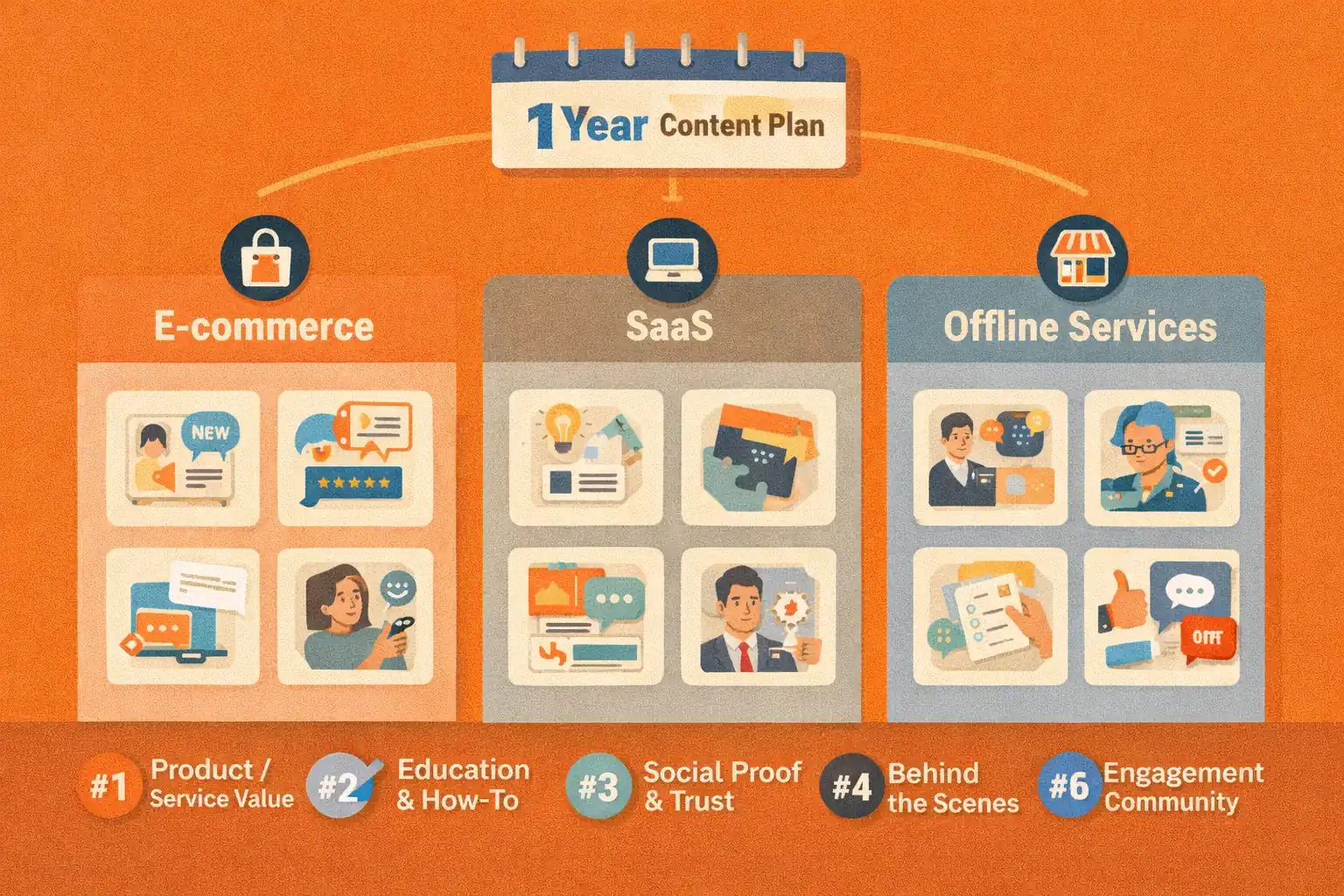
A one-year social media plan sounds intimidating if you imagine writing hundreds of unique posts from scratch. The smarter approach is to build a system of content pillars, repeatable formats, and monthly themes.
Content pillars help you decide what your brand should talk about again and again. Monthly themes help you adapt those pillars to seasons, campaigns, launches, customer questions, and business goals. Together, they turn a blank calendar into a repeatable planning process.
This guide shows how to build a 12-month content plan using 6 to 8 core pillars. It includes examples for ecommerce, SaaS, and offline service businesses, plus a practical workflow for turning pillars into scheduled posts.
For a broader planning system, pair this with the social media operating system and the weekly social media calendar.
What are content pillars?
Content pillars are the recurring themes your brand uses to educate, build trust, show proof, and invite action.
A good pillar is broad enough to support many posts but specific enough to guide decisions.
Weak pillar:
- Marketing
Better pillar:
- Practical social media workflows for small teams
Weak pillar:
- Products
Better pillar:
- How customers choose, use, and care for our products
A strong pillar tells your team what belongs in the calendar and what does not.
Why 6 to 8 pillars is usually enough
Too few pillars can make content repetitive. Too many pillars can make the brand feel scattered. Six to eight pillars give most businesses enough variety without losing focus.
A balanced set usually includes:
- Education
- Proof
- Product or service use cases
- Customer questions
- Behind-the-scenes content
- Community or values
- Offers or campaigns
- Industry perspective
Not every brand needs all eight. A local service business may rely heavily on education, proof, and FAQs. A creator may use personal lessons, tutorials, and community prompts. A SaaS company may need workflows, product education, use cases, and customer objections.
The 12-month planning model
Build your plan in layers.
Layer 1: Annual business moments
Mark the big moments first:
- Product launches
- Seasonal campaigns
- Events
- Conferences
- Sales periods
- Hiring pushes
- Major content projects
- Local peak seasons
Layer 2: Monthly themes
Assign one theme to each month. The theme does not replace your pillars; it focuses them.
Example themes:
- January: planning and systems
- February: customer questions
- March: spring campaign prep
- April: proof and case stories
- May: creator workflows
- June: midyear audit
- July: lightweight content systems
- August: back-to-routine content
- September: launch planning
- October: seasonal offers
- November: gift guides or end-of-year sales
- December: reviews and next-year planning
Layer 3: Weekly pillar rotation
Each week, rotate through a few pillar types so the calendar stays balanced.
Example weekly structure:
- Monday: problem or insight
- Tuesday: educational post
- Wednesday: proof or example
- Thursday: product or service use case
- Friday: checklist, recap, or CTA
Layer 4: Platform adaptation
Do not force the same format everywhere. One idea can become a LinkedIn post, Instagram carousel, Facebook update, Google Business Profile post, Pinterest Pin, YouTube Short, or Telegram mini-lesson depending on the channel.
Content pillar examples by business type
Ecommerce brand
| Pillar | Post examples |
|---|---|
| Product education | How to choose the right size, material, bundle, or version |
| Use cases | Outfit ideas, room setups, gift scenarios, before-and-after examples |
| Customer proof | Reviews, UGC, unboxing, repeat-buyer stories |
| Care and maintenance | Washing tips, storage tips, product lifespan guidance |
| Seasonal demand | Holiday gifts, summer essentials, back-to-school, event prep |
| Brand story | Sourcing, design decisions, founder notes, behind the scenes |
| Offers | Restocks, limited runs, bundles, launch reminders |
SaaS company
| Pillar | Post examples |
|---|---|
| Workflow education | How to plan, schedule, report, automate, or collaborate |
| Problem awareness | Bottlenecks, mistakes, hidden costs, broken processes |
| Product use cases | How different teams use a feature or workflow |
| Customer questions | Permissions, setup, integrations, reporting, pricing |
| Proof | Case lessons, before-and-after workflows, customer quotes with permission |
| Industry perspective | Trends, platform changes, decision frameworks |
| Conversion | Trial reminders, plan comparisons, demo CTAs, migration checklists |
Offline service business
| Pillar | Post examples |
|---|---|
| Trust education | What to ask before booking, how pricing works, what to expect |
| Local proof | Customer stories, before-and-after content, neighborhood updates |
| Availability | Open slots, seasonal reminders, event dates |
| Team and process | Staff introductions, behind the scenes, service preparation |
| FAQs | Booking, timelines, preparation, cancellations, aftercare |
| Community | Local partnerships, events, customer appreciation |
| Offers | Packages, limited-time promotions, loyalty reminders |
Turn pillars into 52 weekly themes
You do not need 365 unique ideas. Start with 52 weekly themes, then break each week into posts.
Example for a small business:
- Week 1: New year planning tips
- Week 2: Common customer mistakes
- Week 3: Behind the scenes
- Week 4: Customer proof
- Week 5: FAQ week
- Week 6: Seasonal preparation
- Week 7: Product or service comparison
- Week 8: Local community focus
Repeat the pattern with new examples, seasons, and offers.
A useful rule: if a theme cannot produce at least three posts, it may be too narrow for a full week.
Use a content idea formula
When you need more ideas, combine:
Audience + problem + format + outcome
Examples:
- Small business owners + inconsistent posting + checklist + plan one week faster
- New customers + confusing product choice + comparison + pick the right option
- Agency clients + late approvals + workflow post + reduce delays
- Local customers + seasonal demand + reminder post + book before peak dates
This formula produces practical content instead of generic inspiration.
Build a one-year calendar without overplanning every caption
A yearly plan should not lock every word in place. It should give direction.
Plan these items annually:
- Pillars
- Monthly themes
- Major campaigns
- Seasonal windows
- Recurring formats
- Key offers
Plan these items monthly:
- Specific post topics
- Asset needs
- Platform mix
- CTA focus
- Approval deadlines
Plan these items weekly:
- Captions
- Visuals
- Scheduling times
- Final edits
- Community engagement
This keeps the strategy stable while giving the team room to respond to timely events.
How Postoria helps with yearly planning
A one-year plan becomes much easier to manage when the ideas move into a real calendar. In Postoria, you can organize campaigns in workspaces, schedule posts across supported platforms, reuse assets from the media library, and review analytics to decide which pillars deserve more attention.
For teams and agencies, posting groups and workspaces help keep different brands, clients, or locations separate while still using the same planning logic.
One-year content planning checklist
Use this before building your calendar:
- Choose 6 to 8 content pillars.
- Mark annual business moments.
- Add seasonal and campaign windows.
- Assign monthly themes.
- Build a weekly pillar rotation.
- Create recurring formats for each pillar.
- Define the CTA role for each month.
- List required assets and owners.
- Schedule monthly review sessions.
- Use analytics to prune weak pillars and expand strong ones.
Conclusion
A one-year content plan does not need to predict every post. It needs to give your team a clear system for deciding what to publish next.
Start with 6 to 8 pillars. Add monthly themes. Rotate weekly formats. Adapt ideas by platform. Then review results and improve the system. That approach creates consistency without turning your content calendar into a rigid, overwhelming document.