Reporting templates for clients and executives: five pages instead of 50
A long social media report can look impressive and still fail the reader.
Clients and executives usually do not need 50 slides of screenshots, every platform metric, and a page of unexplained charts. They need answers to a few business questions: What happened? Why did it happen? What did we learn? What should we do next?
A strong report is not shorter because it hides information. It is shorter because it makes choices. It separates business impact from operational detail and turns performance data into decisions.
This article gives you a practical five-page reporting structure you can use for clients, founders, executives, or internal marketing reviews.
Why bloated reports fail
Long reports usually fail for predictable reasons:
- They report activity instead of outcomes.
- They show every metric instead of the metrics tied to goals.
- They mix strategic insights with small operational details.
- They bury the recommendation at the end.
- They leave the reader to interpret the data alone.
A useful report should reduce uncertainty. The reader should finish it knowing what changed and what the team recommends doing next.
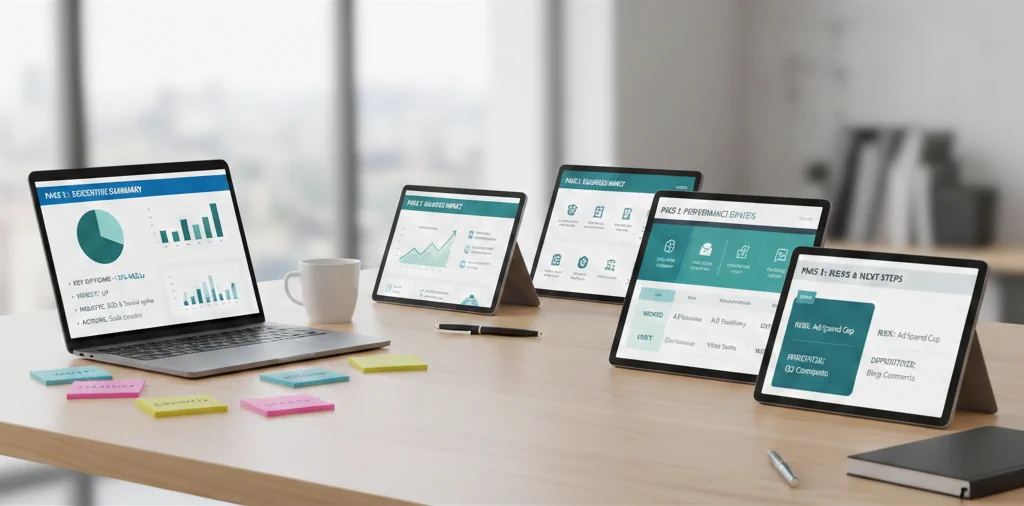
The five-page social media report
Use this structure as the default.
| Page | Purpose | Main question it answers |
|---|---|---|
| 1. Executive summary | Give the verdict | Is social media moving in the right direction? |
| 2. Business impact | Connect work to outcomes | What changed for the business? |
| 3. Performance drivers | Explain why | What caused the result? |
| 4. Learnings and experiments | Show improvement | What did we test and learn? |
| 5. Next actions | Create alignment | What should happen next? |
This structure works because it follows the reader’s natural decision path.
Page 1: Executive summary
This is the page for the busy decision-maker. Write it as if it may be the only page they read.
Include:
- One-sentence performance verdict
- Goal status
- Two or three key insights
- One or two recommended actions
- Any major risk or opportunity
Example verdicts:
- “Organic social improved qualified traffic, but lead conversion still depends on landing page follow-up.”
- “Content output increased, but engagement quality declined because too many posts repeated the same message.”
- “LinkedIn and Google Business Profile are driving the strongest business signals this month.”
Avoid vague summaries like “performance was good.” Say what changed and why it matters.
Page 2: Business impact
This page connects social media to business outcomes.
Depending on the business, include:
- Website visits from social
- UTM-tagged campaign traffic
- Leads or trial signups
- Calls, bookings, or direction requests
- Product clicks
- Qualified DMs or inquiries
- Revenue influenced, if your tracking supports it
If you cannot tie social media directly to revenue, be honest. Use leading indicators instead of pretending the data proves more than it does.
For a deeper measurement setup, see the guide on tracking social media ROI.
Page 3: Performance drivers
This page explains why the results happened.
Look at:
- Top posts by goal, not just by likes
- Formats that outperformed expectations
- Platforms that created useful action
- Topics that earned saves, shares, comments, or clicks
- Posting patterns that may have affected results
- Audience questions or objections that appeared in comments
The point is not to praise winning posts. The point is to understand what should be repeated.
A strong performance driver statement sounds like this:
“The strongest posts this month were not the broad awareness posts. They were practical workflow posts that showed a specific before-and-after process. Next month, we should turn three customer questions into similar workflow posts.”
Page 4: Learnings and experiments
This page proves that the team is not just publishing. It is learning.
Include:
- Experiments launched
- Hypothesis tested
- Result
- Decision
- Next experiment
Example:
- Hypothesis: customer-question hooks will earn more saves than generic advice hooks.
- Result: saves increased on three of five test posts.
- Decision: use customer-question hooks for the next educational batch.
- Next test: compare carousel version vs. short video version.
For a simple testing process, use the content experiments PDCA framework.
Page 5: Next actions
This is the most important page for momentum. A report without next actions becomes a history document.
Include:
- What to continue
- What to stop
- What to change
- What to test
- What support or approval is needed
Make the actions specific. Instead of “post more video,” write “publish one customer-question short video every Tuesday for four weeks and compare saves, comments, and profile visits.”
What to put in the appendix
A five-page report does not mean deleting useful detail. It means moving detail out of the main decision flow.
Put these in an appendix or dashboard:
- Full platform metric exports
- Post-by-post tables
- Creative screenshots
- Audience breakdowns
- Paid campaign details
- Historical trend charts
- Extra notes from community management
This keeps the main report readable while still giving analysts or stakeholders access to the details.
Reporting for clients vs. executives
Use the same five-page structure, but adjust the emphasis.
For clients
Clients often need reassurance that work is being managed well.
Emphasize:
- Output delivered
- Approval bottlenecks
- Clear wins
- What needs client input
- Next-month plan
For executives
Executives usually care about business direction and resource allocation.
Emphasize:
- Business impact
- Risks and opportunities
- Budget or staffing implications
- Strategic decisions
- What to stop doing
For internal teams
Internal teams need learning and execution clarity.
Emphasize:
- What content worked
- What production problems slowed the team
- What to test next
- Which tasks need better ownership
How Postoria can help streamline reporting
Postoria Analytics can help teams review performance across supported platforms without rebuilding every report from scratch. When planning and publishing happen in the same system, it becomes easier to connect output, schedule, campaign timing, and results.
For agencies, workspaces and team workflows can also help separate client content and make reporting less chaotic. The report still needs human interpretation, but the raw review process becomes easier.
Report quality checklist
Before sending the report, ask:
- Can the reader understand the verdict in 60 seconds?
- Are the metrics tied to goals?
- Did we explain why results changed?
- Did we include at least one useful learning?
- Are the next actions specific enough to assign?
- Did we avoid unsupported claims?
- Did we separate appendix detail from the main story?
If the report does not help someone make a decision, it is not finished.
Conclusion
A useful social media report does not need 50 pages. It needs a clear story, the right metrics, honest interpretation, and specific next actions.
Use the five-page structure as your default: executive summary, business impact, performance drivers, learnings, and next actions. Then keep detailed data in an appendix for anyone who needs it. Your clients and executives will get a clearer report, and your team will get a better plan for what to do next.