How to adapt one video for six platforms
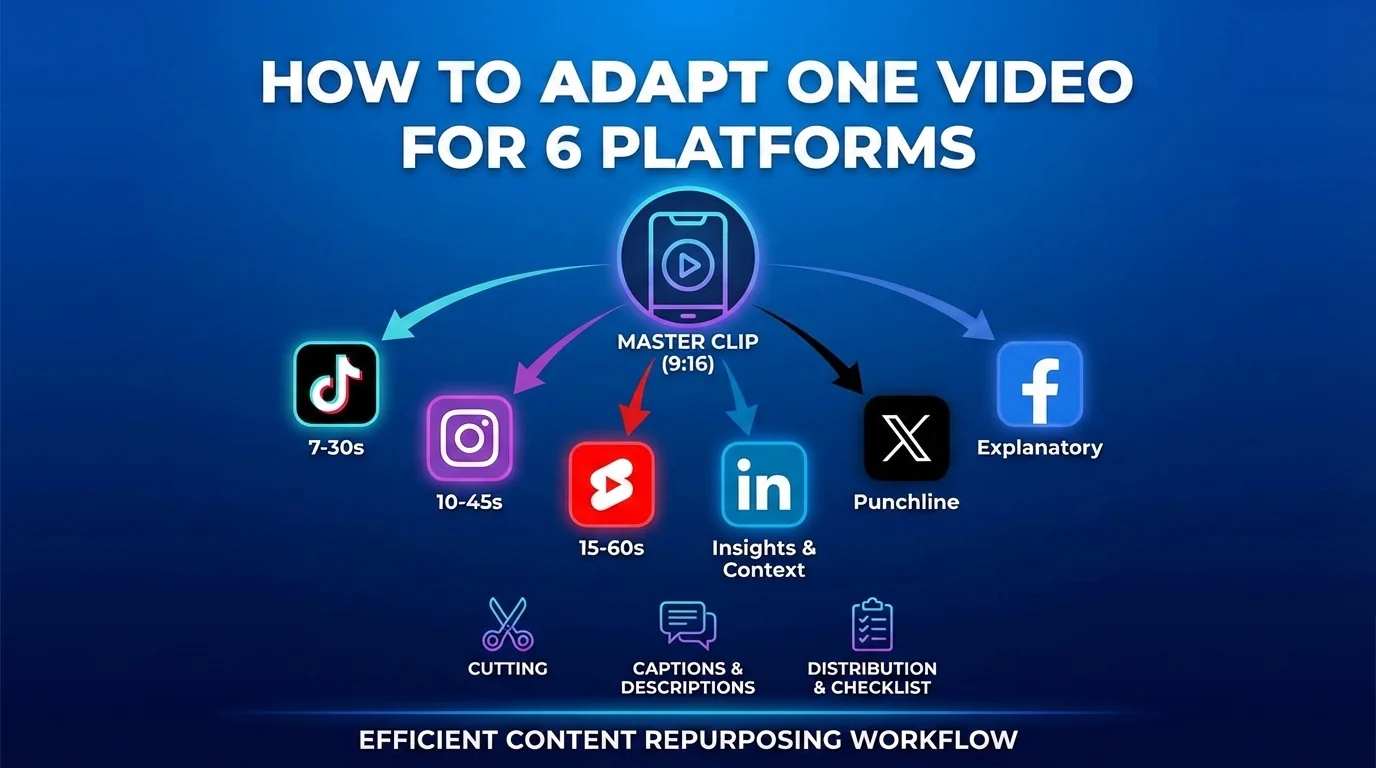
Repurposing one video across platforms can save hours, but only if you adapt it properly. Uploading the exact same clip, caption, and CTA everywhere usually feels lazy. Different platforms reward different context, pacing, formats, and viewer expectations.
The goal is not to create six completely different videos. The goal is to create one strong master video, then produce six native-feeling versions from it.
This workflow is useful for creators, brands, agencies, and small teams that want to publish consistently across TikTok, Instagram Reels, YouTube Shorts, LinkedIn, X, and Facebook without turning every post into a new production.
Start with a reusable master video
The best repurposing starts before editing. Record the source video so it can be adapted later.
A reusable master video should have:
- Clean audio
- A clear hook in the first few seconds
- A single main idea
- Vertical framing when possible
- Space for captions and platform UI
- No platform-specific stickers or watermarks
- No burned-in CTA that only fits one channel
If you are filming a talking-head video, keep yourself centered. If you are filming a product or process, capture extra B-roll before and after the main action. These extra clips make it easier to create alternative openings and endings.
Create one message map
Before editing, write a quick message map. This keeps every version aligned even when the cut changes.
Include:
- Core idea: What is the one thing viewers should remember?
- Audience: Who is this version for?
- Proof: What makes the point credible?
- CTA: What should the viewer do next?
- Destination: Which platform or channel gets priority?
Example:
- Core idea: Small teams should batch content instead of posting daily from scratch.
- Audience: founders and social media managers.
- Proof: show a weekly calendar with five planned posts.
- CTA: save the workflow or try it this week.
- Destination: LinkedIn for context, Reels and Shorts for reach.
This prevents a common repurposing mistake: cutting clips before deciding what each version is supposed to do.
Version 1: TikTok
TikTok needs speed, clarity, and a reason to keep watching.
Adapt the video by:
- Opening with the most specific hook
- Cutting pauses aggressively
- Using natural, conversational wording
- Adding on-screen text that matches the spoken point
- Ending with a comment or save prompt
Good TikTok angle: “You are making content planning harder than it needs to be.”
Avoid making the caption too polished. TikTok often works best when the post feels direct and human.
Version 2: Instagram Reels
Instagram Reels should feel clear, visual, and easy to save.
Adapt the video by:
- Keeping the first frame visually clean
- Using captions that are easy to read on mobile
- Making the takeaway obvious
- Adding a save-friendly structure such as steps, mistakes, or examples
- Pairing the Reel with a concise caption
Good Reels angle: “A simple weekly batching workflow for small teams.”
Instagram is often stronger when the post can double as a reference. Make the structure easy to revisit.
Version 3: YouTube Shorts
YouTube Shorts can work well with a slightly more complete story. Viewers may discover the video through recommendations or search, so clarity matters.
Adapt the video by:
- Using a title-style opening line
- Keeping the topic keyword clear
- Delivering the payoff before the end
- Avoiding vague captions
- Linking the idea to a broader channel theme
Good Shorts angle: “How to batch five social media posts in one sitting.”
If the video supports a longer YouTube strategy, connect it to a playlist or recurring series. For more on platform discovery, see the YouTube SEO guide.
Version 4: LinkedIn
LinkedIn needs more context. A short video can work, but the surrounding text often matters as much as the clip.
Adapt the video by:
- Slowing the edit slightly
- Framing the problem in business terms
- Adding a caption that explains why the topic matters
- Using a practical takeaway instead of a hype-driven hook
- Inviting discussion with a specific question
Good LinkedIn angle: “Why small marketing teams need batching rules, not more content ideas.”
LinkedIn is a strong place to show process, lessons, and decision-making. It is usually better to sound useful than overly dramatic.
Version 5: X
X works best when the video is attached to a sharp point. The surrounding post should make the viewer care quickly.
Adapt the video by:
- Cutting to the strongest 10 to 25 seconds
- Pairing it with a short written insight
- Making the point easy to quote or reply to
- Avoiding long setup
- Testing the same video with different text angles
Good X angle: “The content calendar is not the strategy. It is the operating system.”
If the idea needs more explanation, consider using the video as the first post in a short thread.
Version 6: Facebook
Facebook often benefits from a little more explanation, especially for local businesses, communities, and service brands.
Adapt the video by:
- Keeping the opening clear for silent autoplay
- Adding a caption that explains the situation
- Making the CTA practical, such as booking, visiting, saving, or messaging
- Using a slightly broader audience angle
- Posting when your actual audience is active
Good Facebook angle: “A simple way to plan next week’s posts before Monday gets busy.”
If you also publish to a Facebook Page, this can fit into a broader Facebook SEO and local discovery strategy.
Rewrite the caption for each platform
The video may come from one source, but the caption should not.
Use this approach:
- TikTok: hook plus conversation starter
- Instagram: value summary plus save cue
- YouTube Shorts: clear topic and keyword context
- LinkedIn: business problem plus lesson
- X: sharp opinion or insight
- Facebook: helpful explanation plus local or audience-specific CTA
A copied caption is one of the fastest ways to make repurposed content feel generic.
Use a version-control system
When one video becomes six assets, file confusion can quickly waste time.
Use a simple naming pattern:
- campaign or topic
- platform
- version number
- date
- status
Example: content-batching-reels-v2-approved.
You do not need a complex asset management system. You just need names that make sense when you are tired, busy, or handing work to someone else.
Postoria can help with this workflow because you can keep media, scheduled posts, and platform-specific captions organized in one publishing calendar. If you are managing many posts at once, bulk upload can also reduce repetitive setup.
Final checklist before publishing
Before scheduling all six versions, check:
- Does each version have a platform-specific opening?
- Are captions readable and correctly placed?
- Is the CTA right for that platform?
- Are tags, mentions, and links correct?
- Does the video have any watermark from another platform?
- Is the file the correct version?
- Is the post scheduled for the right account and time zone?
A quick pre-publishing QC checklist can prevent small mistakes from spreading across every platform.
Conclusion
Repurposing is not copying. It is translation.
One strong video can become six useful posts when you adapt the hook, pacing, caption, CTA, and context for each platform. Start with a clean master file, make a message map, build platform-specific versions, and keep the workflow organized in a calendar. That gives you the efficiency of repurposing without the flat, duplicated feel that users ignore.