AI caption prompts for every stage of the social funnel
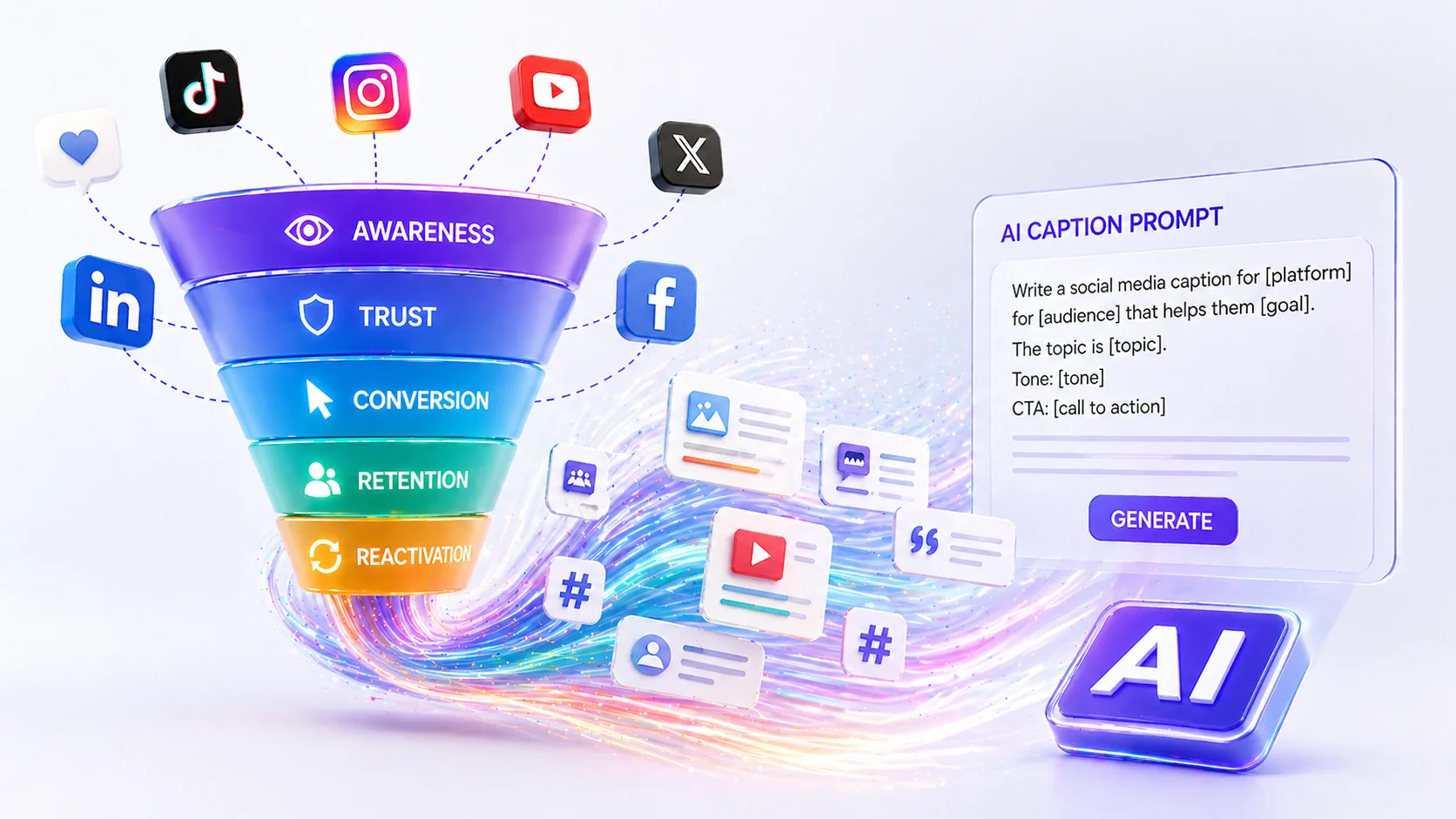
AI can help you write social media captions faster, but only if you give it the right job. A vague prompt usually creates vague copy. A strong prompt gives context, audience, goal, tone, platform, and constraints.
The best AI caption workflow does not replace your brand voice. It gives you a starting point, then you edit for accuracy, personality, and strategic fit.
Below are AI caption prompts organized by funnel stage so you can create content that does more than fill gaps in your content calendar.
Before using AI captions
Before you generate captions, prepare five inputs:
- Audience: who the caption is for
- Platform: where the post will be published
- Goal: what the post should accomplish
- Offer or topic: what the post is about
- Brand voice: how the caption should sound
You should also include what the AI should avoid. For example, you can ask it to avoid hype, fake urgency, unsupported claims, jargon, or emojis if they do not fit your brand.
Postoria includes AI captions on paid plans, which can help you generate drafts inside your publishing workflow. The important step is still human review before scheduling.
Awareness-stage caption prompts
Awareness content helps people recognize a problem, discover a new idea, or understand why something matters.
Use these prompts when your goal is reach, profile visits, saves, or shares.
Prompt 1: problem awareness
“Write five social media caption options for [platform] that help [audience] recognize this problem: [problem]. Keep the tone [tone]. Do not mention our product yet. Start with a strong first line and end with a question that invites comments.”
Prompt 2: common mistake
“Write a caption about a common mistake [audience] makes when trying to [goal]. Explain why the mistake happens, what to do instead, and include one practical takeaway. Make it clear, direct, and useful.”
Prompt 3: myth vs. reality
“Create a myth-vs-reality caption for [audience] about [topic]. Include one myth, the reality, and a simple action step. Keep it concise and suitable for [platform].”
Prompt 4: beginner-friendly explainer
“Write a beginner-friendly caption explaining [concept] to [audience]. Use simple language, avoid jargon, and include a practical example.”
Prompt 5: point-of-view post
“Write a point-of-view caption for [brand/person] about [topic]. The opinion is: [point of view]. Make it thoughtful, not aggressive. Include a clear reason and one takeaway.”
Trust-stage caption prompts
Trust content helps people believe you understand their situation. It is useful for education, proof, and credibility.
Use these prompts when your goal is saves, meaningful comments, profile visits, and warmer leads.
Prompt 6: useful checklist
“Create a social media caption that turns this topic into a practical checklist: [topic]. The audience is [audience]. Use short bullet points and end with a soft CTA to save the post.”
Prompt 7: behind-the-scenes explanation
“Write a behind-the-scenes caption about how we [process]. Make it helpful for [audience], explain why the process matters, and avoid sounding self-congratulatory.”
Prompt 8: answering a customer question
“Write a caption answering this customer question: [question]. Start with a direct answer, then explain the reasoning, and finish with a practical next step.”
Prompt 9: proof without overclaiming
“Write a caption that shares this customer proof point: [proof]. Do not exaggerate or add statistics. Focus on the customer problem, what changed, and what others can learn from it.”
Prompt 10: objection handling
“Write a caption for [audience] that addresses this objection: [objection]. Be respectful and practical. Explain when the objection is valid and when there is a better approach.”
Conversion-stage caption prompts
Conversion content helps people take action. It should still be useful, but the next step must be clear.
Use these prompts when your goal is clicks, bookings, sign-ups, demos, purchases, or inquiries.
Prompt 11: feature-to-benefit
“Write a caption for [platform] that explains this feature: [feature]. Connect it to this audience problem: [problem]. Focus on the benefit, not the technical details. End with a clear CTA: [CTA].”
Prompt 12: offer post
“Write a caption promoting [offer] to [audience]. Include who it is for, what problem it solves, what the next step is, and why someone should act now without using fake urgency.”
Prompt 13: comparison post
“Write a caption that compares [old way] with [new way]. The goal is to show why [new way] is easier for [audience]. Keep it fair, practical, and specific.”
Prompt 14: launch announcement
“Write a launch announcement caption for [product/service/feature]. Include what is new, who it helps, how to use it, and one clear CTA. Avoid buzzwords.”
Prompt 15: soft sales caption
“Write a soft sales caption for [offer] that starts with a useful insight about [problem], then naturally explains how [offer] helps. Keep it helpful and not pushy.”
Retention-stage caption prompts
Retention content keeps customers, followers, and community members engaged after the first conversion.
Use these prompts for education, updates, community, and product adoption.
Prompt 16: customer success tip
“Write a caption that gives existing customers one practical tip for getting more value from [product/service]. Make it simple, specific, and easy to try today.”
Prompt 17: feature reminder
“Write a caption reminding users about [feature]. Explain a situation where it is useful, include a simple example, and end with a helpful CTA.”
Prompt 18: community question
“Write a community-focused caption asking [audience] about their experience with [topic]. Make the question easy to answer and useful for starting conversation.”
Prompt 19: workflow improvement
“Write a caption that helps customers improve this workflow: [workflow]. Include three steps and explain why each step matters.”
Prompt 20: educational series intro
“Write a caption introducing a recurring content series about [topic]. Explain who the series is for, what readers will learn, and why they should follow along.”
Reactivation-stage caption prompts
Reactivation content brings back people who haven’t engaged with us recently.
Use these prompts for inactive leads, past customers, quiet followers, or audiences that need a fresh reason to engage.
Prompt 21: what changed
“Write a caption for people who haven’t engaged with us recently. Explain what has changed about [product/service/topic], why it matters, and what they can do next.”
Prompt 22: reminder of the problem
“Write a caption that reminds [audience] why [problem] still matters. Keep it helpful, not fear-based. Include one simple step they can take today.”
Prompt 23: update post
“Write a caption announcing an update to [feature/service/process]. Focus on the user benefit, include one example, and end with a clear CTA.”
Prompt 24: comeback offer
“Write a caption inviting past customers or inactive leads to revisit [offer]. Make the tone warm and useful. Do not sound desperate or overly promotional.”
Prompt 25: recap and next step
“Write a recap caption that summarizes three useful posts we shared about [topic] and points readers to the next best action.”
How to edit AI captions
Never publish AI captions without review.
Check for:
- Accuracy
- Brand voice
- Unsupported claims
- Repetition
- Platform fit
- Clear CTA
- Correct links
- Customer-sensitive language
- Legal or compliance concerns
- Overly generic phrasing
A useful editing question is: “Would our audience believe this came from us?” If not, rewrite it.
How to turn one prompt into a full content batch
You can use AI to create variations for different platforms.
For example, start with this:
“Write a caption about why small businesses need a weekly social media calendar.”
Then ask for:
- A LinkedIn version with a practical point of view
- An Instagram version with a saveable checklist
- A Google Business Profile version with a local CTA
- A TikTok script with one hook and one takeaway
- A Threads or Bluesky version that starts a conversation
This keeps the core idea consistent while adapting the format.
Conclusion
AI caption prompts work best when they are tied to a funnel stage. Awareness captions introduce the problem. Trust captions educate and prove. Conversion captions invite action. Retention captions help existing customers. Reactivation captions bring quiet audiences back.
Use AI as a drafting partner, not a replacement for strategy. The strongest captions still need human judgment, real examples, and a clear purpose in your content calendar.