Social Media Post Scheduler
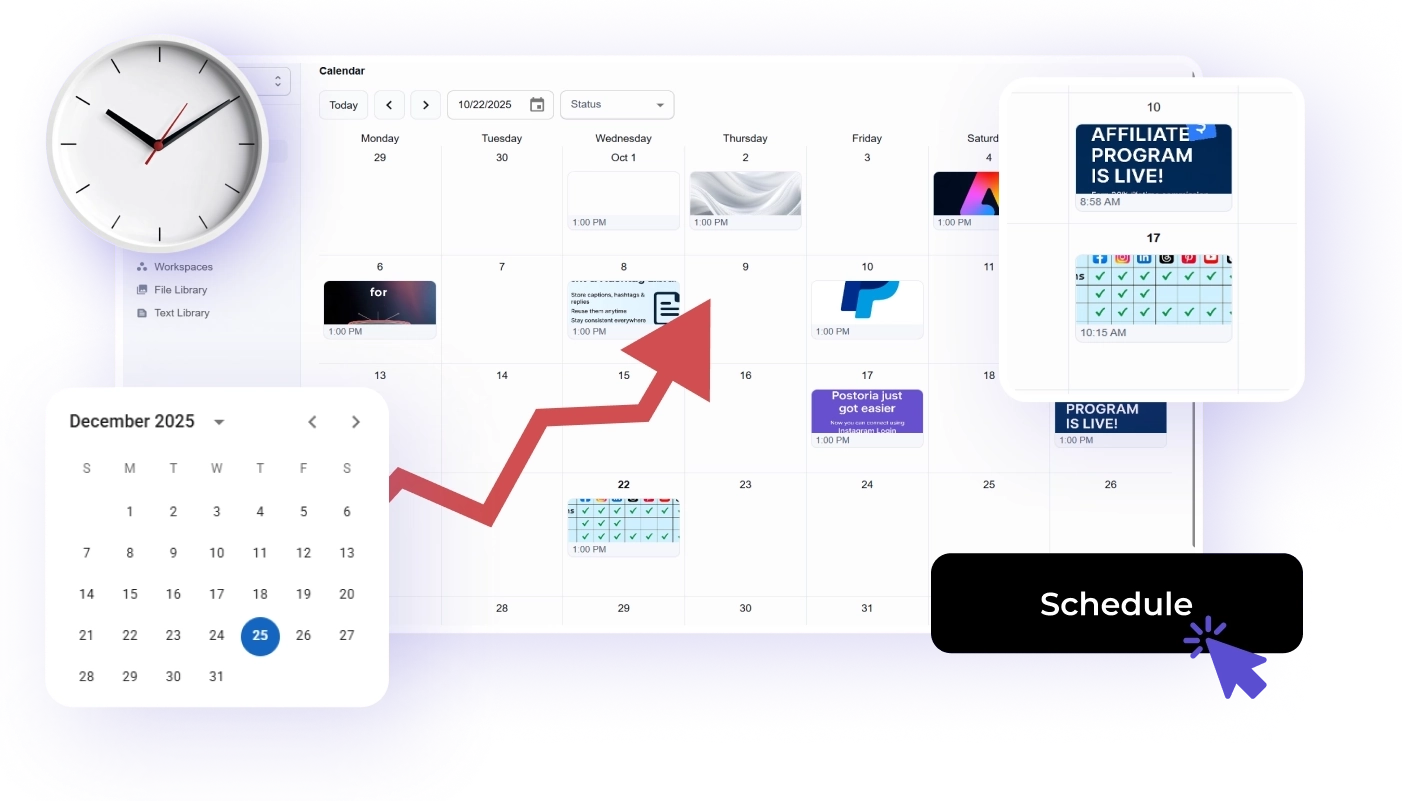
Schedule social media posts from one clean calendar instead of managing every platform separately.
Posting consistently is not just a creative challenge. It is an operations challenge. Teams need to plan campaigns, prepare assets, review captions, publish at the right times, and understand what worked afterward.
Postoria is an all-in-one social media post scheduler built for creators, small businesses, agencies, and teams that want a simpler way to manage publishing across platforms.
What Postoria’s social media scheduler does
Postoria helps you move from scattered posting to a planned workflow.
Use it to:
- Create and schedule posts in advance
- View content in a visual calendar
- Manage multiple social accounts from one dashboard
- Separate brands, clients, or locations with workspaces
- Store approved media assets
- Prepare batches of posts on paid plans
- Review published content in analytics
Postoria supports Facebook, Instagram, LinkedIn, Google Business Profile, Threads, Pinterest, YouTube, TikTok, Telegram, Bluesky, Tumblr, and X. Learn more on the post across all social media page.
Who this feature is for
Creators and solopreneurs
Plan content in batches, schedule posts before the week gets busy, and keep your channels active without living inside every app.
Small businesses
Coordinate offers, local updates, educational posts, and product announcements across the channels your customers use.
Agencies
Manage multiple clients, separate workspaces, prepare content batches, and keep calendars easier to review.
Lean marketing teams
Build a dependable publishing workflow without adding unnecessary enterprise complexity.
A practical scheduling workflow
Use this process to turn ideas into scheduled posts.
1. Choose the goal
Decide whether the post should build awareness, earn engagement, drive traffic, support a launch, answer a question, or move someone toward a purchase.
2. Pick the platforms
Not every post needs to go everywhere. Choose the channels where the message fits, then adapt the post for each platform.
3. Prepare the creative
Add approved images, videos, thumbnails, or links. Keep assets organized so the right version is easy to find later.
4. Schedule the post
Choose the date and time, confirm the post, and review how it fits into the rest of the calendar.
5. Check performance
After posts are published, use analytics to learn which formats, topics, and timing choices are worth repeating.
Key Postoria features for scheduling
Postoria focuses on practical scheduling and publishing work:
- Visual calendar for seeing what is planned
- Scheduling and publishing across supported platforms
- Media library for approved images and videos
- Workspaces for clients, brands, locations, or projects
- Posting groups for faster account selection
- Teams on paid plans for collaborative workflows
- Bulk upload on paid plans for preparing many posts from a spreadsheet
- AI captions on paid plans for turning rough ideas into editable drafts
- Automations on paid plans for repeatable publishing systems
- Analytics for reviewing performance
If you are comparing options, Postoria is designed to be affordable and straightforward while still covering the core needs of modern social media management.
Scheduling checklist for every post
Before you schedule, check:
- Is the goal clear?
- Is the post adapted for the platform?
- Is the asset the right size and version?
- Is the link correct?
- Is the timing intentional?
- Does the post duplicate another scheduled post?
- Does it fit your campaign calendar?
- Does it need teammate or client approval?
- Will the result be reviewed later?
This checklist prevents many of the mistakes that happen when social media is published in a rush.
How Postoria pricing fits different workflows
Postoria’s Free plan includes 10 social accounts, 2 workspaces, and 50 posts per month. It is useful for individuals and small teams starting with organized scheduling.
The Pro plan is $10/month and includes 50 social accounts, 10 workspaces, AI, automations, Teams, and a 7-day trial. The Agency plan is $25/month and includes 500 social accounts, 100 workspaces, AI, automations, Teams, and a 7-day trial.
You can compare plans on the pricing page.
Why use one social media scheduler?
Using native tools can work for one or two channels. It becomes harder when you manage several platforms, multiple brands, or client accounts.
A single scheduler helps you:
- See your whole publishing plan
- Reduce manual posting work
- Avoid missed deadlines
- Keep campaign timing consistent
- Separate accounts and workspaces
- Review results without switching platforms constantly
That is the core problem Postoria is built to solve.
Conclusion
A social media post scheduler should make publishing easier, not heavier. Postoria gives you a visual calendar, scheduling, media organization, workspaces, analytics, and scalable paid-plan features in one affordable platform. If you want a clean way to plan and publish across major social channels, Postoria is built for that everyday workflow.