Before You Pay: 5 Real-World Tests for Your Scheduling Tool
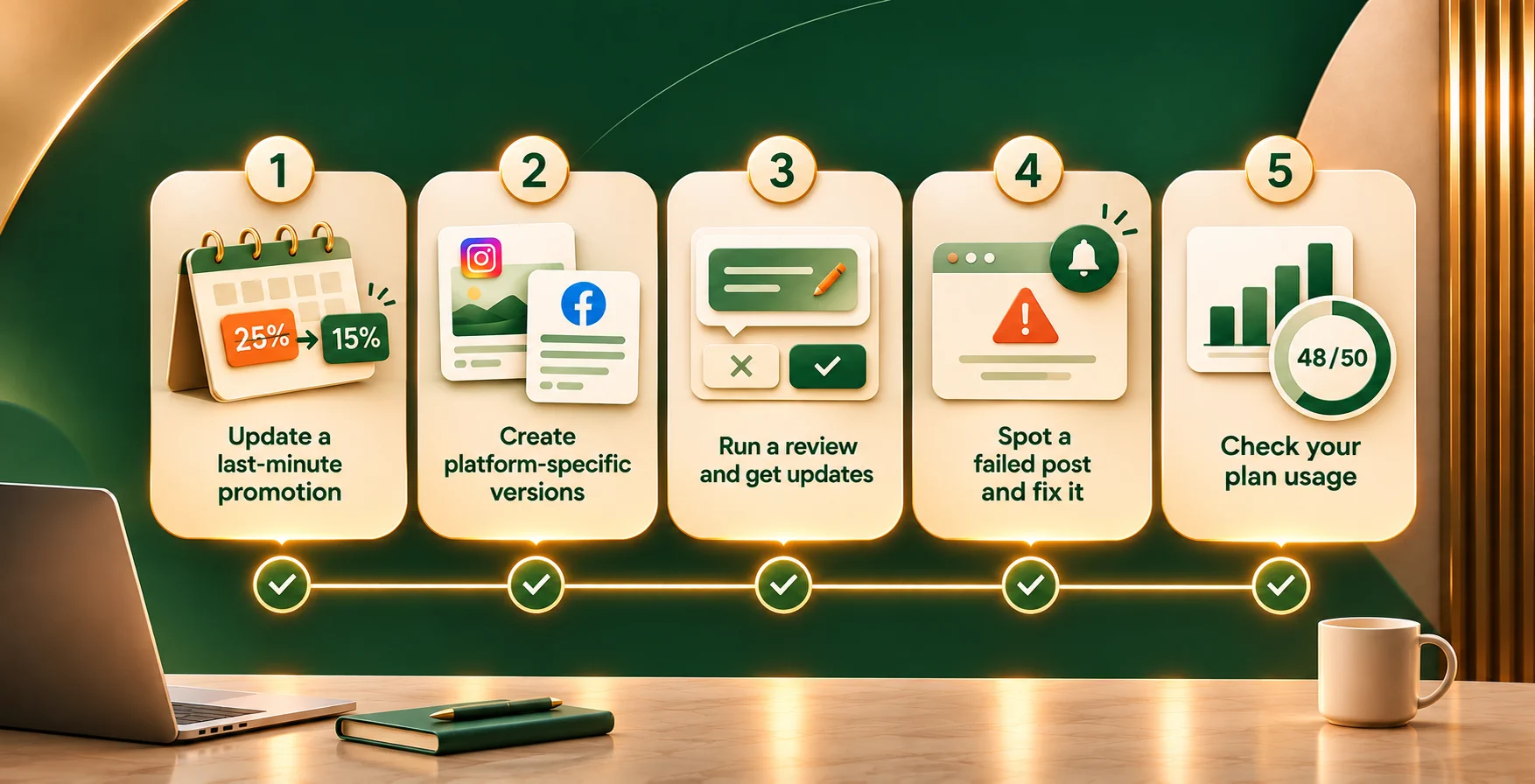
A social media scheduler can look excellent when everything goes according to plan. The calendar is tidy, the captions are ready, and every post has a publishing date.
Then real business happens. A promotion changes, someone rejects the approved-looking copy, or a post doesn’t go live when expected.
That’s a more revealing way to evaluate a scheduler: don’t just ask whether it can schedule content. Ask what happens when the plan goes wrong.
This article isn’t another comparison of features and prices. If you’re still choosing which capabilities matter, start with our social media management tool buying guide. The five exercises below are for the moment when you already have a shortlist and want to see how the software behaves under pressure.
Use a fictional or low-stakes campaign while testing. You can prepare drafts, inspect settings, and review documentation without publishing a made-up offer to real customers.
Test 1: The promotion changes at the last minute
Imagine you run a small home goods store. You’ve scheduled three posts announcing that a set of storage baskets will be 25% off on Friday. On Thursday afternoon, the promotion changes to 15%.
Find the scheduled posts as though you had just received that message. Check the captions, images, links, and destinations. Does the scheduler let you identify every affected post? Can you edit or reschedule the ones that haven’t gone live? Is there a clear way to distinguish a saved draft from content that is already scheduled?
Also check which time zone the workspace uses. A Friday announcement shouldn’t accidentally go live while your shop is still preparing the offer.
Pass condition: You can locate and correct the entire affected sequence without relying on memory or searching through multiple social apps.
Warning sign: You can change one caption, but you can’t confidently tell which other versions still contain the old price.
Test 2: One announcement needs two different versions
Now give the scheduler a realistic platform problem. Your store wants to announce the same baskets on Instagram and its Facebook Page. Instagram needs a suitable image and caption; Facebook may need more practical details and a destination link, depending on the content format.
Create both versions from one starting idea. Adjust the media, copy, and supported link options separately. Check the selected accounts and inspect the result before scheduling.
This exercise isn’t about making the posts look identical. It tests whether you can keep the facts consistent while respecting each platform’s requirements.
Use one deliberately obvious placeholder in your working notes, such as “confirm pickup instructions,” and make sure it doesn’t survive into the final copy. A good process should make missing details easier to catch.
Pass condition: Both versions communicate the same accurate offer in formats appropriate for their destinations.
Warning sign: Changing the Facebook version unexpectedly alters the Instagram wording, or you can’t see which account will receive which version.
Test 3: A reviewer catches a problem before publication
Suppose the store owner has approved an announcement, then notices that it promises a pickup date the business cannot meet. The post is scheduled for later, and the owner wants one line changed before it goes live.
Set up a draft with a publishing date far enough in the future to complete the exercise. Choose scheduled publication after approval, then ask your reviewer to approve the original version. Before publication, have them change that decision to a request for a specific correction. Check that the scheduled release is stopped.
Reopen the draft through the available editing process, correct the pickup date, and submit it for a new review. Check that the reviewer sees the revised text and that the earlier approval does not authorize publication of this version. Leave the new round pending until you have confirmed that it needs a fresh approval, then cancel the test post before its publishing time.
A credible approval workflow should preserve the version that was reviewed, stop an unapproved version from being released, and make it clear when another review is needed. Test this before you depend on it for a major announcement.
For example, Postoria’s Content Approval workflow is available even on Free for external reviewers. It locks the submitted snapshot; when changes are requested, an authorized workspace user can reopen the draft and submit a new review round. Internal team-member reviews require Pro or Agency.
Pass condition: A revised draft cannot be released under an approval granted to an earlier version.
Warning sign: Approval is little more than an informal message with no clear connection to the version being published.
Test 4: A scheduled post fails—who notices?
A scheduler is not a guarantee that every social network will accept every post. Connections expire, permissions change, media may fail validation, and platforms sometimes return errors.
Don’t intentionally break a live account to perform this test. Instead, inspect the scheduler’s published-post view, its help documentation, and any past failed publication you already have. Find out how a failure is represented, where to look for the reason, and whether the right person receives a notification.
Record what you verified directly and what you learned only from documentation. If you have a past failure, compare its status and error details with the notification actually received, including the recipient and timing. Without an observed failure and its notification, mark notification delivery as unverified; reading that an alert exists does not confirm it reaches the person who needs it.
Ask a practical question: if an important post failed while you were serving customers, how would you find out? Then check the recovery path. Would you correct the media, reconnect an account, or contact support? How would you avoid accidentally publishing a duplicate while investigating?
You can use a pre-publishing quality checklist to reduce preventable failures, but it cannot remove every platform-side issue.
Pass condition: You can locate the publication result and recovery steps. Mark notification delivery as verified only if you have evidence of an actual alert; otherwise, keep it as an open check.
Warning sign: A calendar entry looks scheduled or complete, but you have no clear way to verify the external publication.
Test 5: A busy month uses more of your plan than expected
Suppose you prepare three posts per week for four social accounts. Over four weeks, that’s 48 successful publish destinations if every post goes to all four accounts—not 12.
This matters when you’re testing a free plan. Before committing to a busy campaign, calculate the number of account-level publications your calendar will generate. Include recurring posts and any extra destinations. Check when the allowance resets, which actions count, and what happens if a limit is reached.
In Postoria, one successfully published post to four selected accounts uses four of your monthly published-post allowance. Scheduled posts and drafts don’t count until they publish successfully. Failed posts don’t count; deleting a previously published post doesn’t refund its usage.
Postoria Free includes 50 successful publications per calendar month, so those 48 publications leave room for only two more destinations. Four weeks cover 28 days; calculate the actual dates in your calendar, because additional posting days can push the total above 50. The allowance resets on the first day of each calendar month.
Postoria does not currently warn you when you are approaching the monthly limit. Check usage on the Plan page before a busy stretch: scheduled posts can fail if the allowance is exhausted by the time they try to publish.
Pass condition: You can estimate the month’s usage and check your remaining allowance before publishing a large batch.
Warning sign: The plan advertises a certain number of posts, but you don’t know how cross-platform publishing affects that number.
Decide based on what your tests revealed
Keep a short record of what worked, what slowed you down, and what remains unverified. Focus on whether you could catch a wrong price, stop an unapproved message, recover from a publishing problem, and predict your usage during an actual campaign.
If two schedulers offer similar features, the one that makes corrections, approvals, and publication checks clearer may be the better fit for your business. If a free plan handles all five situations comfortably, you may have no reason to upgrade yet.
Run the exercises in Postoria
Postoria Free lets you try the core publishing workflow with supported accounts, a visual calendar, external content approval, and available analytics. You can prepare drafts and check how network-specific content is handled before making a paid commitment.
Before running the exercises, verify that you have the right permissions and a supported account type. If your tests reveal a need for larger batches, recurring queue slots, or team-member access, those are reasons to compare Pro and Agency rather than assume Free is inadequate.
Choose a plan based on the workflow you tested and the capacity you will need for future campaigns.