UTM tags and attribution in social media: a practical guide
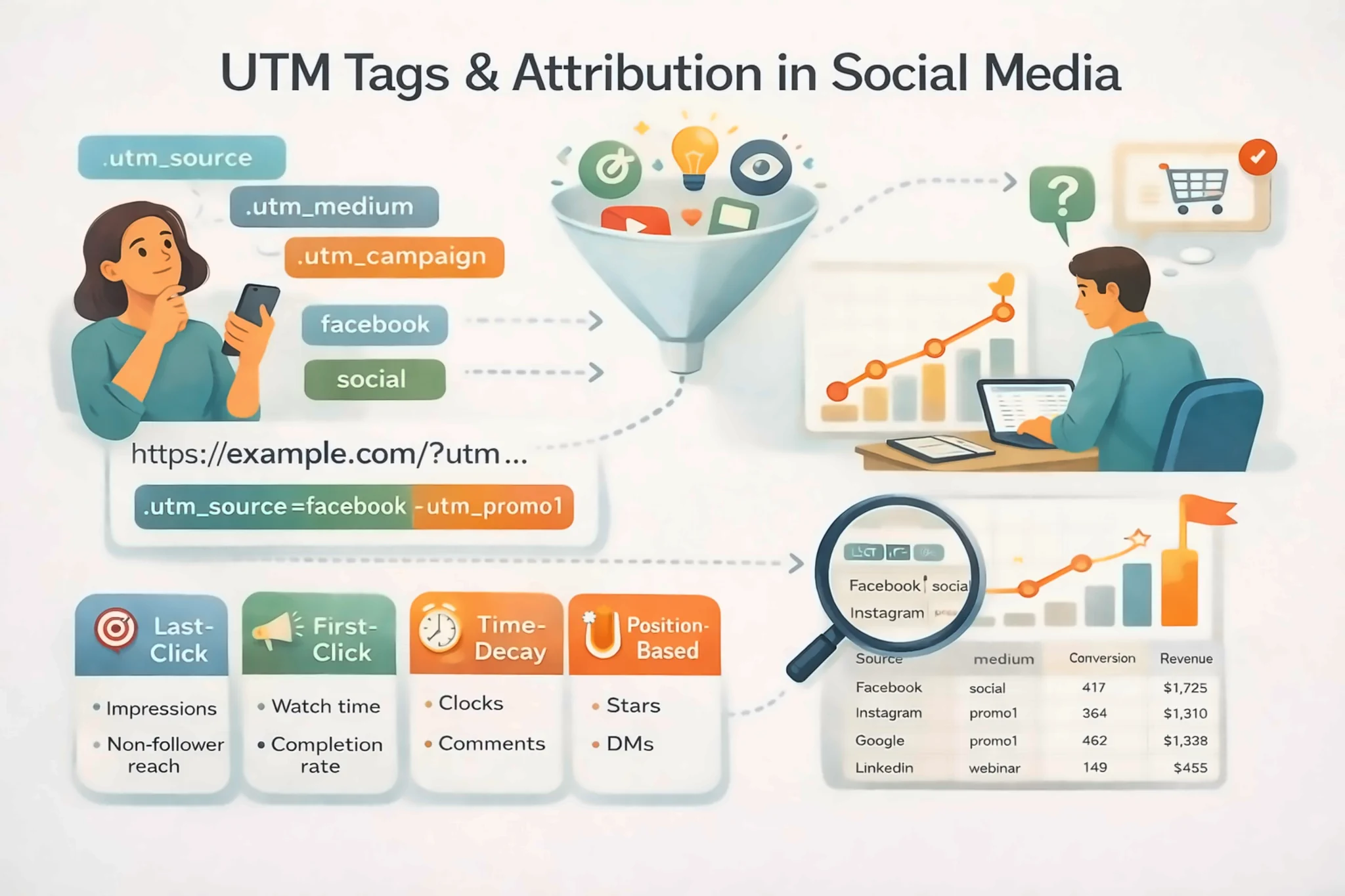
Social media often influences customers before they are ready to click, buy, book, or sign up. That makes attribution difficult. A person might see your LinkedIn post, watch a YouTube Short, search your brand later, and finally convert from a direct visit.
UTM tags do not solve every attribution problem, but they do solve one important problem: they tell your analytics tool where a click came from and which campaign it belonged to.
Without UTM tags, social traffic can become hard to compare. With messy UTM tags, your reports can become even more confusing. The goal is not to tag every link in the most complicated way possible. The goal is to use a consistent naming system that helps you make better decisions.
Google’s own Analytics documentation explains that campaign parameters can be added to destination URLs so campaign traffic appears in reports with clearer source and campaign information. You can review the official guidance in Google’s URL builder documentation.
What UTM tags are
UTM tags are small parameters added to the end of a URL. They help analytics tools identify the campaign, source, medium, and content that sent a visitor to your site.
A social media link might include:
- utm_source for the platform, such as linkedin or instagram
- utm_medium for the channel type, such as social or paid_social
- utm_campaign for the campaign name, such as spring_launch
- utm_content for the creative or post variation, such as carousel_a or founder_video
- utm_term if you need an additional keyword or audience label
You do not need to use every parameter every time. For most organic social posts, source, medium, campaign, and content are enough.
What UTM tags can and cannot tell you
UTM tags are useful, but they are not magic.
They can tell you:
- Which tagged link was clicked
- Which platform sent traffic
- Which campaign drove visits
- Which post variation generated clicks
- Which landing pages received social traffic
They cannot fully tell you:
- Every post someone saw before clicking
- Whether a viewer converted later from a different device
- Whether a screenshot, share, or dark social message influenced the sale
- The full value of brand awareness
- The exact reason someone decided to buy
This is why UTM data should be used with platform analytics, website analytics, sales feedback, and customer conversations. It is one part of attribution, not the whole story.
A simple UTM naming framework
Use names that a teammate can understand six months from now.
| Field | Use it for | Example |
|---|---|---|
| utm_source | The platform or source sending the click | linkedin, instagram, youtube |
| utm_medium | The channel type | social, paid_social, partner |
| utm_campaign | The business campaign | q2_webinar, spring_sale |
| utm_content | The post or creative variation | carousel_1, short_video_a |
| utm_term | Optional audience or keyword label | founders, local_search |
Keep everything lowercase. Use underscores or hyphens consistently. Avoid random abbreviations that only one person understands.
Naming rules that prevent messy reports
Create rules before you start tagging links.
Recommended rules:
- Use lowercase for every value.
- Choose one spelling per platform. Do not mix x, twitter, and x_twitter.
- Choose one medium for organic social, such as social.
- Use paid_social for paid campaigns instead of mixing cpc and social.
- Use short campaign names that match your internal campaign calendar.
- Use utm_content to distinguish post variations, not entire paragraphs.
- Do not include spaces.
- Do not change naming halfway through a campaign.
A small naming guide is often more useful than a complex tracking spreadsheet no one maintains.
How to tag organic social links
For organic social, keep the structure simple.
Example campaign: a new guide for small business owners.
Possible naming:
- source: linkedin, facebook, threads, x, or pinterest
- medium: social
- campaign: small_business_guide
- content: founder_post, carousel_tip, short_video, or quote_card
This lets you answer practical questions:
- Which platform sent the most visits?
- Which creative format earned clicks?
- Did the campaign bring qualified traffic?
- Which post should be repurposed?
If you publish across multiple networks, Postoria can help keep campaign posts organized in one calendar. You can plan the content, schedule platform-specific versions, and review performance without searching through separate tools.
How to use UTM tags with paid and organic together
Paid and organic traffic should not be mixed under the same medium. If you use the same campaign name for both, separate them with the medium field.
Example:
- Organic LinkedIn post: source linkedin, medium social, campaign webinar_may
- Paid LinkedIn ad: source linkedin, medium paid_social, campaign webinar_may
This keeps the campaign connected while still showing whether traffic came from paid or organic distribution.
Common UTM mistakes
Using too many campaign names
If every post gets a totally different campaign name, you cannot see campaign performance as a whole. Use utm_content for individual post variations.
Mixing platform names
LinkedIn, linkedin, linked_in, and li can show up as separate sources. Pick one format.
Tagging internal links
Do not use UTM tags for links inside your own website navigation. That can overwrite the original traffic source and damage your reports.
Forgetting link destinations
A well-tagged link to a weak landing page will not convert. UTM tags measure traffic; they do not fix the offer.
Treating clicks as final proof
A post can create awareness without clicks, and a click can come from someone who was already convinced elsewhere. Use UTM data with the bigger context.
A monthly attribution review
Once a month, review tagged social traffic with these questions:
- Which campaigns created the most qualified visits?
- Which posts brought traffic that stayed or converted?
- Which platforms created awareness but few clicks?
- Which CTAs were too weak or too vague?
- Which content should be repurposed next month?
Pair this with your social media ROI tracking process so UTM tags connect to decisions, not just reports.
Where UTM tags fit in Postoria workflows
When you plan a campaign in Postoria, you can create platform-specific posts, schedule them in the calendar, and keep your links consistent across the campaign. For larger batches, prepare your UTM-tagged URLs before upload so every post follows the same naming convention.
This is especially helpful for agencies, ecommerce teams, and small businesses that publish the same campaign across Facebook, Instagram, LinkedIn, Google Business Profile, Threads, Pinterest, YouTube, TikTok, Telegram, Bluesky, Tumblr, and X.
Conclusion
UTM tags make social media measurement cleaner, but only when the naming system is simple and consistent.
Use source to identify the platform, medium to separate organic and paid traffic, campaign to group business initiatives, and content to compare post variations. Then review the data with context. Attribution will never capture every influence, but a clean UTM system helps you see which social campaigns are actually sending useful traffic to your site.